
Diagnose Response Issues
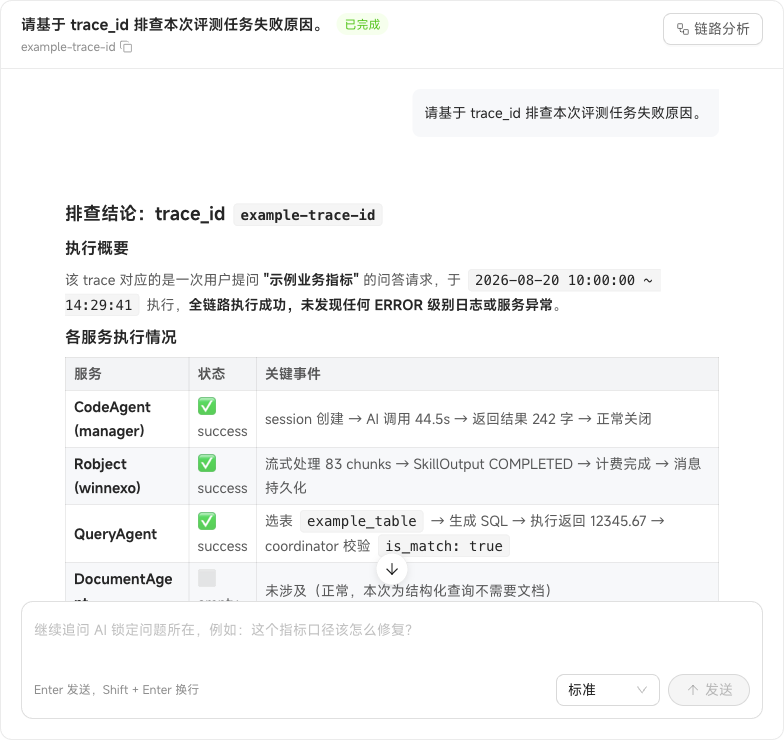
If a response is wrong, enter the conversation's trace_id in Issue Diagnosis and click AI Troubleshooting. The system analyzes the execution trace and identifies the issue. Add observations in Issue Description, such as “The response's date range does not match the user's question,” to improve the diagnosis.
To obtain trace_id, open the affected Chat, click More below the response, and choose Copy TraceId. Failed conversations show Copy TraceId directly.
Stop troubleshooting at any time, or ask follow-up questions about the current conclusion. Questions and answers can both be copied. Review completed investigations in View Records. If you switch pages before an investigation finishes, the system warns you to prevent accidental interruption.
Trace analysis for an individual response shows total duration, slow nodes, the tool-call chain, and the number of model interactions, helping identify delays or abnormal calls. Start AI Troubleshooting directly from the current trace to investigate further.