
Add Context
When an answer needs to incorporate business resources, enter @ in the input area and add the resources as context for the current message. The Digital Worker reads the referenced content instead of guessing from its name alone.
Add Resources
- Enter
@in the input area or click the context entry. - Choose from five content types: Objects, Personal Resources, Enterprise Knowledge, Outputs, and Local Files.
- Select the required content, confirm that it appears in the input area, then add the task goal and send the message.
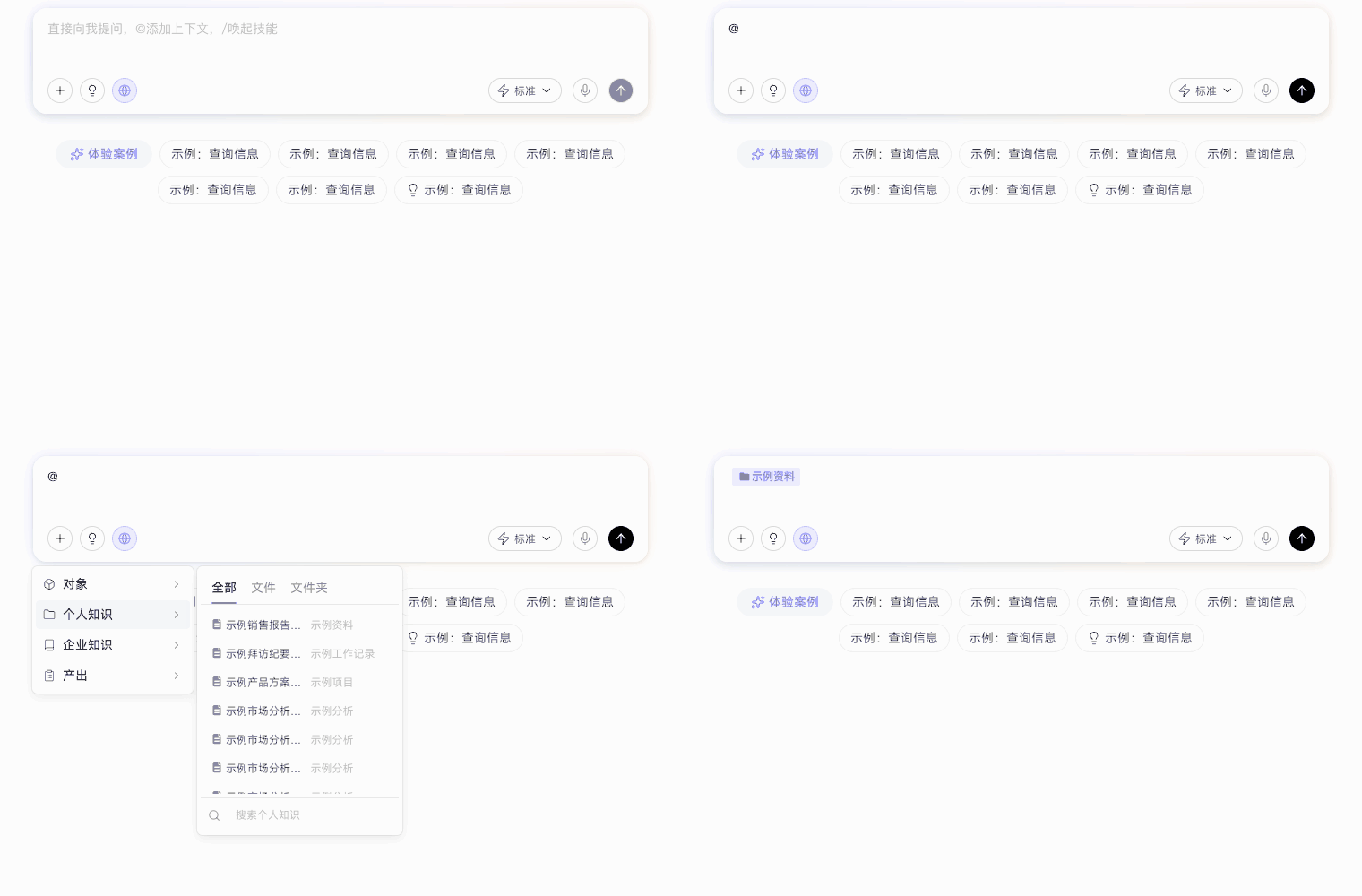
The five context types cover the following content:
| Category | Referencable Content |
|---|---|
| Objects | Business objects such as customers, leads, and contracts; referencing one locks the specific object ID |
| Personal Resources | Files or folders you uploaded to a Knowledge Base; folders can be referenced directly |
| Enterprise Knowledge | Files or folders in Enterprise Knowledge Bases bound to the current Digital Worker |
| Outputs | Files generated by historical chats |
| Local Files | Files uploaded from your computer or pasted directly |
Each local file must be no larger than 2 GB. In public-cloud environments, each chat supports up to 20 uploaded files; private deployments do not limit the number of files. Whether content can be read still depends on your access permissions.
Entering only an object or file name is treated as ordinary text, so the Digital Worker may not be able to retrieve the corresponding resource. When analysis must use the original content, create an explicit reference with @ or by uploading the file.
Handle Questions with an Ambiguous Object Scope
When an input mentions an object but its type or specific identity cannot be determined uniquely, the system searches for related objects by keyword. If several match, it asks a clarifying question: first select the object type, then confirm the specific object from the candidates. If none matches, click “None of the above” to skip this step and continue inference.
Tip: Use @ to select a specific object directly and improve the accuracy and efficiency of Digital Worker responses.