
Invoke Skills and Apps
When a task needs an established process or an external system, type / in the input box to invoke a Skill. Digital Workers also recommend capabilities that may fit your question.
Invoke a Capability
- Type
/to open the Skills and apps panel. - Choose a Skill from My Favorites, Role-Specific, Enterprise Public, or My Skills, or switch to app connections.
- Provide the Skill's goal and materials, then send. Each message can invoke up to 5 Skills.
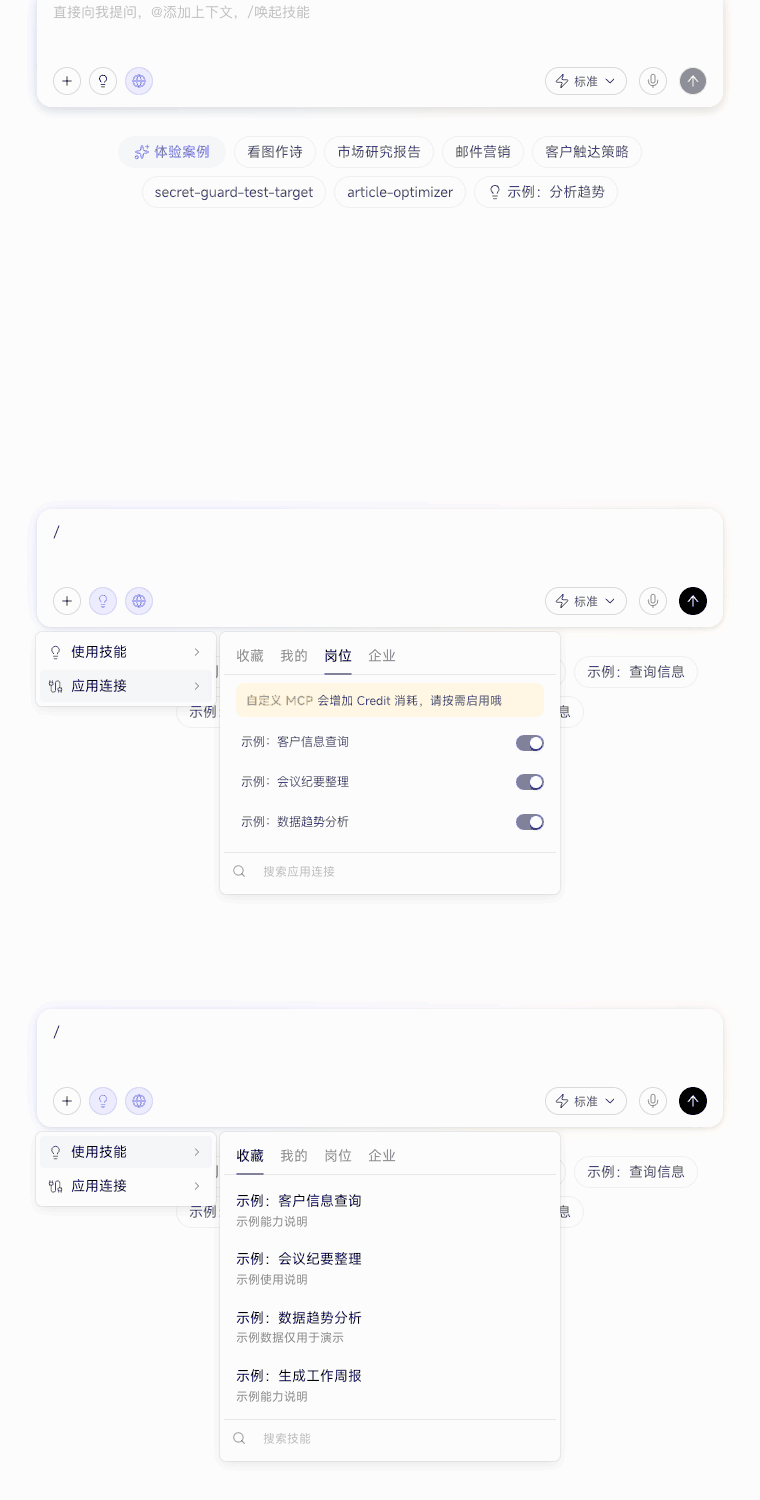
App connections access external systems that have already been authorized. Actual availability depends on connection settings and your account permissions. If no Skill fits, describe the process you want to standardize in natural language to create one. After a conversation, you can also turn an effective working method into a Skill for reuse.
Invoke Business Actions
In a new chat, type / and select Business Actions. Choose an action and provide the business goal and required information. If it involves an external system, first complete personal authorization for the corresponding app connection. Before executing an operation that writes business data, review the target object and inputs in the confirmation, then decide whether to continue.