
Session Scanning
Session scanning finds semantic issues across real historical conversations and sends reviewable suggestions to the Semantic Center. Select conversations by time, position, and personal or space scope, then check the estimated count before submitting. After success, open the Semantic Center to review suggestions.
Create a scan task
- Enter a task name of up to 30 characters.
- Select a time range and position.
- Select personal conversations, space conversations, or both.
- Review the scan scope and task settings.
- Check the estimated matching conversation count and confirm creation.
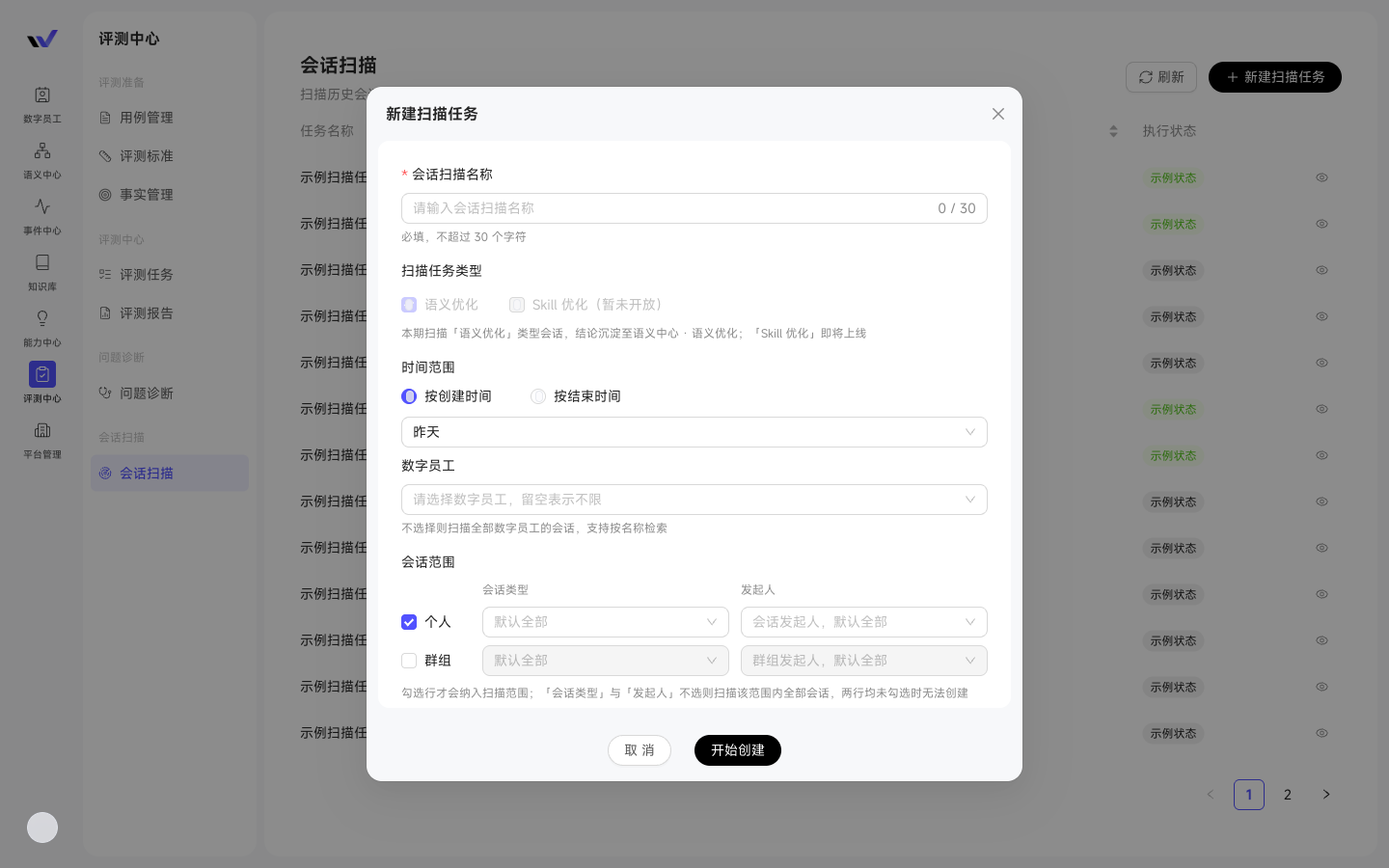
Only users with Evaluation Management permission can view, create, and operate scan tasks. Lists and details show scope, status, progress, matched and estimated conversation counts, and suggestion counts. Failures include a reason. After scanning, open the Semantic Center from task details with suggestions filtered to that task.
Clean up historical scan tasks
For completed, failed, or canceled scans, select Delete from the More menu. Cancel running tasks first. Deleting a task does not delete its semantic suggestions, which remain available in Semantic Optimization.