
Create Business Logic
Creating a Business Logic Entry
The "Create" button at the top of the page offers two paths:
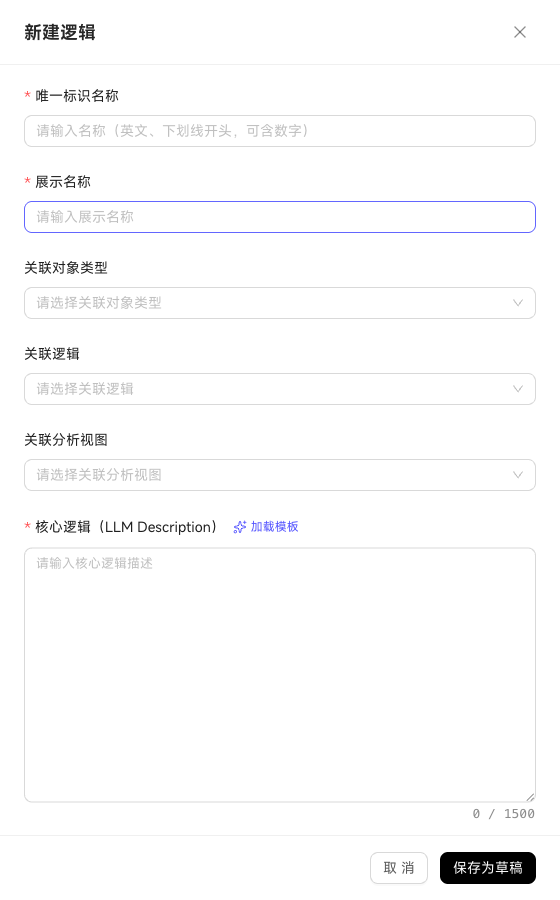
Define with Natural Language
Click Create → select type (Process/Logic/Rule/Indicator) → fill in name + display name + associated object + core logic description → save. Form-guided with prompts for each field.
Define in Bulk with YAML
Paste a YAML block containing multiple Business Logic entries at once—suitable for bulk migration from existing documents/specifications. The system parses and ingests entry by entry; failures are reported individually.
The creation drawer has a "Load Template" button—pre-fills a sample YAML/description based on the selected type, making it faster to adapt.
Associations: How to Link to Objects
Business Logic's "Associated Object" determines its scope of action. Common association patterns:
plaintext
逻辑 "vip_customer"
  └─ 关联对象 = 客户
       AI 在查"VIP 客户"时,自动应用此逻辑里的过滤条件

业务过程 "项目验收"
  └─ 关联对象 = 项目 + 里程碑
       AI 描述项目状态时,会按此过程的节点定义来组织语言

指标 "GAAP 完成率"
  └─ 关联对象 = 项目
       关联业务过程 = 项目验收
       AI 计算 GAAP 完成率时,先取项目验收过程里"已完成"节点的项目数,再除以总项目数
Some types can also associate with other Business Logic: Indicators can link to Business Processes, Rules can link to Logic—forming a layered, nested criteria network.