
Semantic Optimization
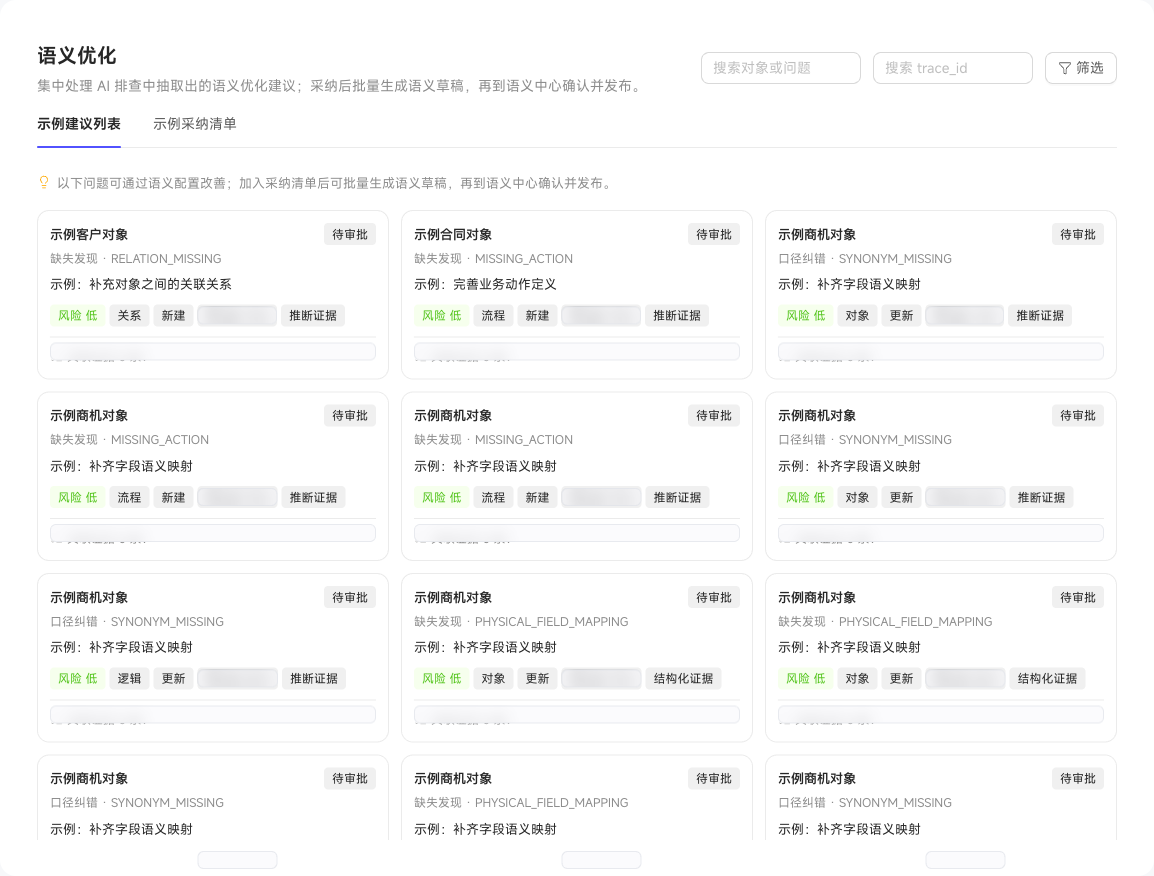
Semantic Optimization collects semantic suggestions from issue diagnosis and session scanning. Select a graph, then filter suggestions by object or issue keyword, issue type, risk level, Trace ID, and session scan task. Review the supporting evidence and configuration differences in the details.
After reviewing suggestions, add suitable items to the adoption list and generate semantic drafts in bulk. Review and adjust drafts in Validate and Publish, then publish them so Digital Worker roles use the updated official definitions. Ignore suggestions you do not want to handle yet.
Open a suggestion to inspect its conclusion, risk and confidence, differences between current and proposed configurations, evidence sources, and related cases. Switch to changes-only mode to focus on what needs review.
Handle Suggestions by Permission
Access requires the Semantic Optimization feature permission. Data Permissions for each ontology also determine which ontology spaces' optimization suggestions you can view.
Adopting or ignoring suggestions and generating drafts require edit permission for the target resource. Publication also requires the corresponding publication permission. Access to the page does not grant permission to modify every ontology.
Handle Suggestions in Bulk
Click Bulk Actions, select reviewed suggestions, and choose Adopt in Bulk to add them to the adoption list, or Ignore in Bulk to defer them. After adoption, generate, review, and publish semantic drafts before the official definitions used by Digital Worker roles change.