
Use AI Diagnosis
Enter a response's Feedback ID in Issue Diagnosis to start an investigation. Add a description as needed and choose an analysis model. The request is added to history for later review.
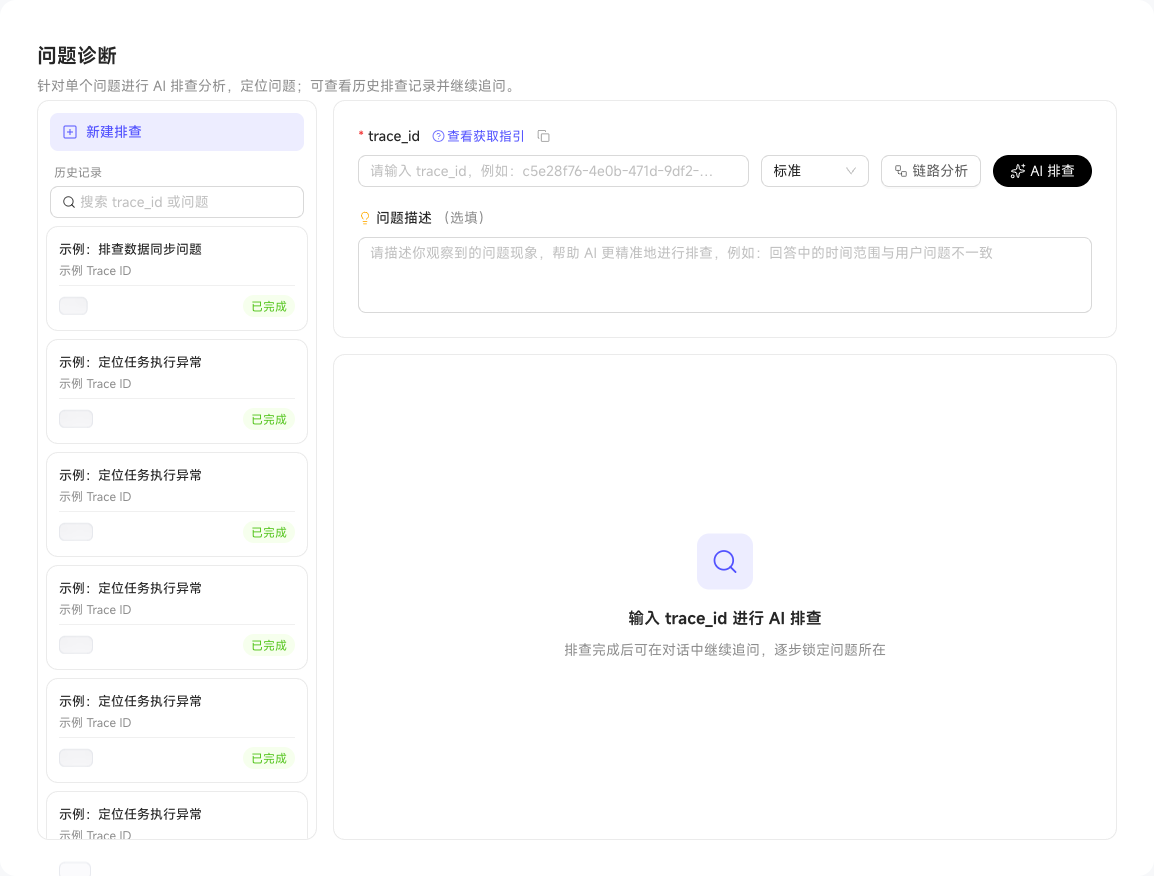
First inspect total duration, slow nodes, tool call chains, and model interaction counts through trace analysis. Then use AI Diagnosis to determine whether the issue likely comes from data, Skills, the model, or semantic configuration.
Users need "Platform Management - Issue Diagnosis - Use AI Diagnosis" permission. Obtain the Feedback ID from the problematic conversation first. Trace analysis shows the entire conversation trace, potentially including multiple request rounds, to locate timing and call issues. AI Diagnosis further summarizes causes and recommended actions.