
Configure Role Feature Permissions
Admin Console access is assigned through roles rather than directly to individual users. Configure permissions for a role, then assign users to it.
Authorize Task Template Management and Distribution
Grant "Enterprise Template Management" in the feature permissions of "Role Management" to let members manage automated task templates for Digital Workers they are authorized to use.
Managing distribution authorization requires "Automated Task Distribution Authorization Management" permission. Authorized managers can add distributors and set their permitted user or user group scope under "Feature Authorization Configuration → Automated Task Distribution". Super administrators can distribute tasks to all users in the tenant without separate distribution authorization.
System and custom roles
| Category | Description |
|---|---|
| System roles | Eight built-in roles that cannot be edited or deleted: Super Administrator, System Administrator, Semantic Administrator, Skill/App Administrator, Knowledge Base Administrator, Evaluation Administrator, Digital Worker Administrator, and Application User |
| Custom roles | Created by the organization, such as Semantic Center Administrator or Knowledge Base Reviewer |
Each role has two configuration areas:
| Tab | Purpose |
|---|---|
| Feature Permissions | Select which Admin Console capabilities the role can view or operate |
| Authorization Management | Assign users to the role |
Create a custom role
Enter a role name of up to 10 characters, unique within the tenant, and a description of up to 500 characters.
The permission tree has three levels: capability domains (Platform Management, Development Management, Application Management, and Scenario Applications), modules such as Knowledge Bases, Skills, and Data Sources, then individual permissions.
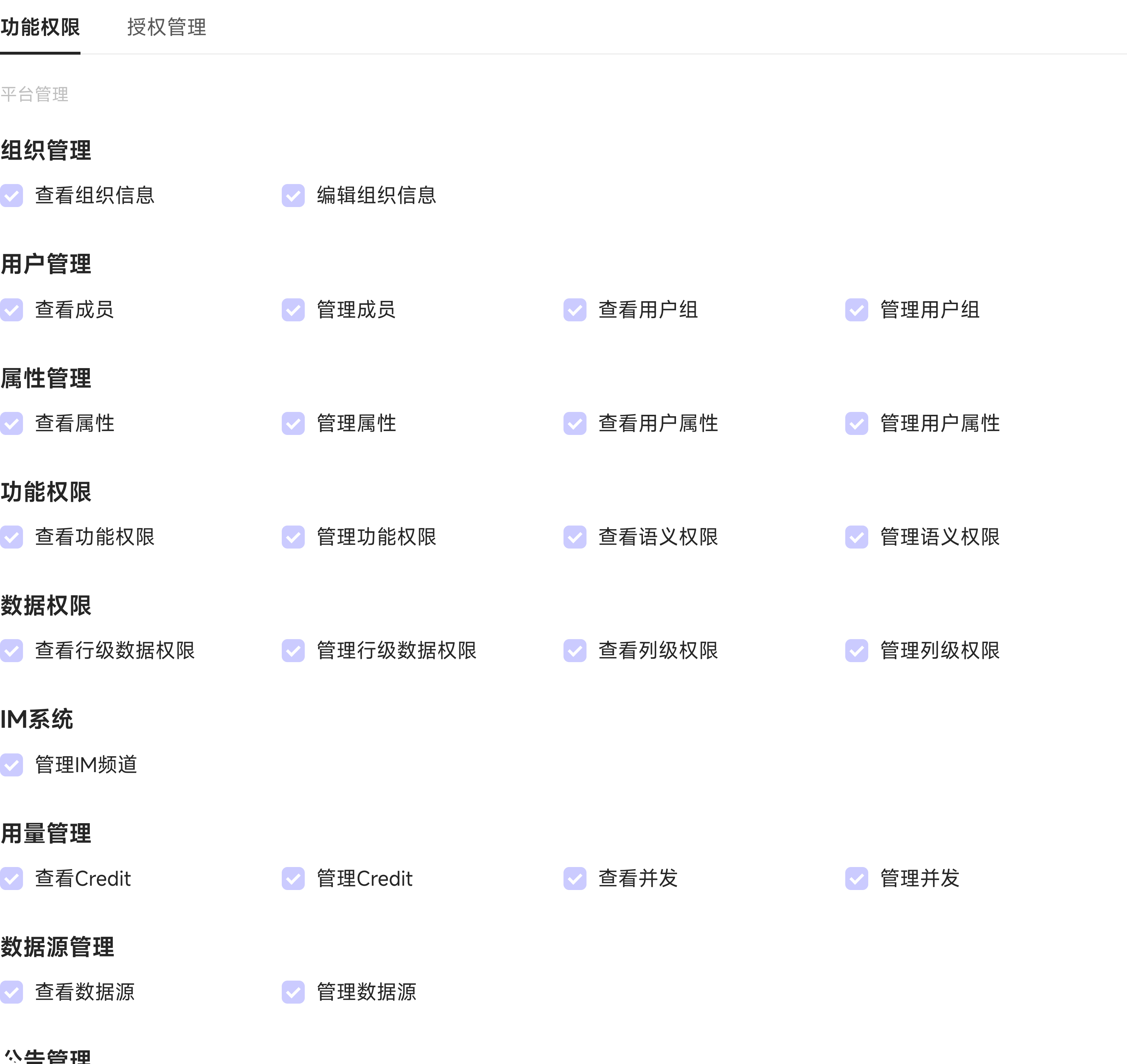
Most modules provide View and Manage permissions, such as View/Manage Data Sources or View/Manage Credit and Concurrency. Development and application modules provide Create and Super Administrator permissions. Examples include Create Knowledge Base and Knowledge Base Super Administrator, or View Digital Workers (only manageable workers), Create Digital Worker, and Digital Worker Super Administrator. Skills and semantic definitions similarly provide Skill Super Administrator and Semantic Super Administrator.
Assign users on the Authorization Management tab. Select members individually or select a user group to add all its members at once.
New roles are enabled by default and can be disabled at any time. Disabling immediately removes the role's permissions from assigned users. The Super Administrator and Application User system roles cannot be disabled.
Use Clone to copy an existing role, including a system role, and adjust it instead of starting from scratch. System roles themselves cannot be edited or deleted; custom roles can.
Delete Distribution Authorization
When deleting distribution authorization for a distributor who still has distributed tasks, select a super administrator in the current tenant to take over the tasks before confirming deletion.
After distribution authorization or user group membership changes, tasks are removed during synchronization for members who are no longer in the eligible recipient scope.