
Adding Users
The available way to add users depends on the login methods authorized for the tenant. There are three types:
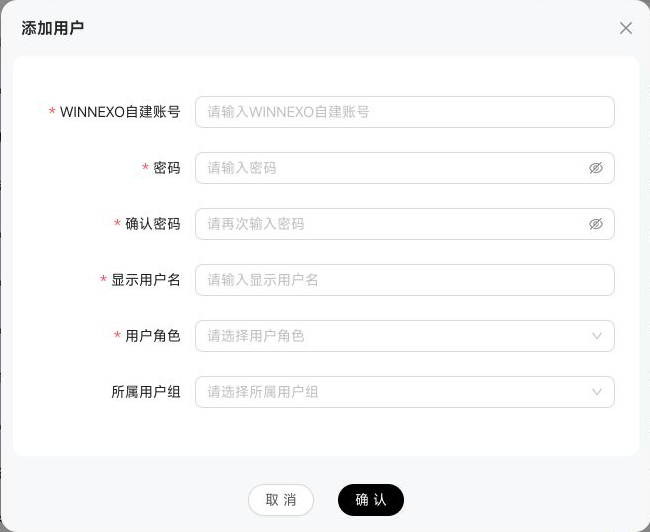
Fields in the “Add Manually” dialog vary by login method, including the account field name (such as “BUC Account”). For BUC, entering an employee ID automatically fills the alias as the display name. Built-in accounts also require a password and confirmation. At least one user role is required; users who are not super administrators cannot select the “Super Administrator” role.
When editing a user, you can also bind accounts from other login methods under “Bind Account,” allowing the user to sign in with multiple identities. Distinguish two concepts: a login method is an authentication configuration connected to the tenant, while an account type is a specific account form under that configuration. One login method can support multiple account types, such as both a primary Alibaba Cloud account and RAM accounts under the same Alibaba Cloud configuration.
When binding an account, first select the login method, then enter the account as required: for login methods that support account sync (such as WeCom), select one or more accounts from the synced account pool; for a built-in account, enter only the password because the system generates the account identifier for the user; for other login methods, enter the account ID to complete the binding.
In addition, when editing a user, you can bind other login methods to the same user under "Bind Account," allowing that user to log in with multiple identities. When binding, first select the login method, then enter the account according to that method: WeCom accounts are selected from a dropdown of the account pool synced from the org structure; self-built accounts only require a password; other login methods (DingTalk, Feishu, BUC, SAML, OAuth2, etc.) just need the account ID to complete the binding. If the user already has a self-built account, the self-built option is grayed out to prevent duplicate binding; other account types can be bound repeatedly. If the current tenant has no available login method yet, you must first configure and authorize it under "Login Method Management" in System Management.