
Manage User Groups
User groups organize members into a hierarchy of up to 15 levels for:
- Bulk authorization: Grant a whole group access to a position instead of adding members individually.
- Row-level permissions: Authorize a group such as South China Sales in a Data Permission rule.
- Quota management: Set monthly limits by user group.
Actions include Add Subgroup, Rename, Move To, and Delete Group. Deleted groups cannot be restored and must be recreated. Names support up to 128 characters and must be unique under the same parent.
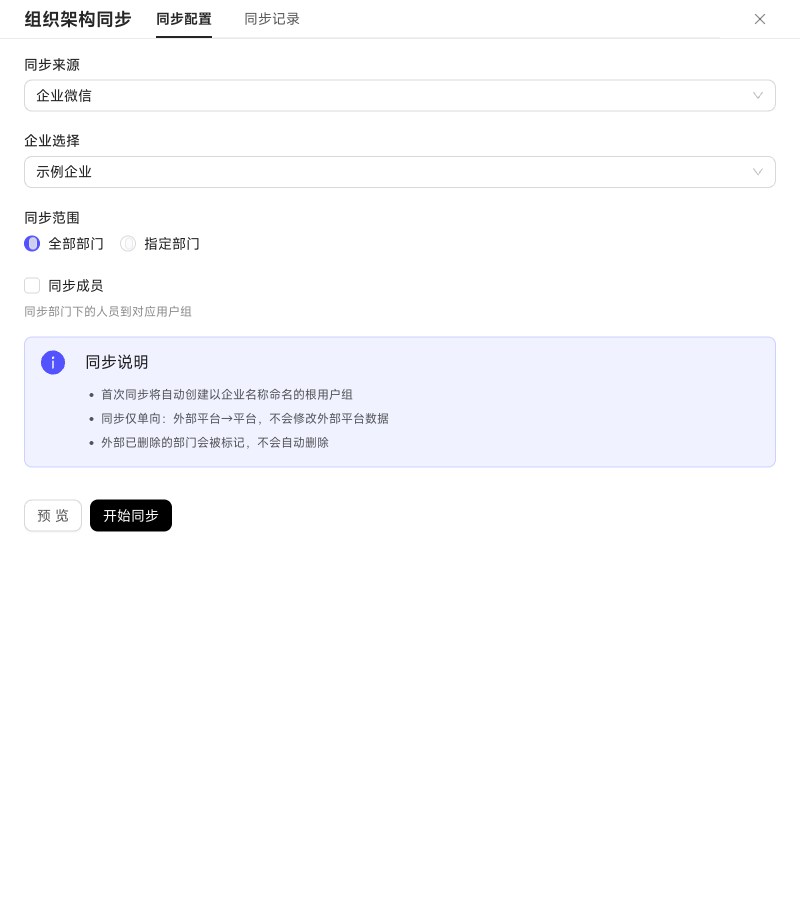
Alongside manual maintenance, synchronize the organization structure from WeCom. Select an enterprise and scope (all or selected departments), and choose whether to synchronize department members to map the external structure into the user group tree.
The first synchronization creates a root group named after the enterprise. Synchronization is one-way from WeCom to WinNexo and does not write back. Deleted external departments are only marked, not automatically removed. Preview planned additions, renames, moves, and deletions before submitting, and view history in Sync Records.
You can also synchronize organization structures from WeCom or Feishu. The first synchronization builds a user group tree from the external structure. Before starting, preview the source, enterprise, scope, and expected group and member counts.
Sync Records lists tasks by Syncing, Completed, or Failed status. Failed tasks include a reason.
Manage synchronized user groups
Groups synchronized from WeCom or Feishu cannot be moved manually in WinNexo. The current version allows deletion, which removes the platform group and external mapping without modifying the external directory. A later synchronization may recreate the group.