
Configure Models
The Model Configuration Center maintains the model services the system can call. After adding or changing a configuration, verify connectivity, basic questions and answers, and tool calls separately to confirm that the model fits the intended use case.
Disabling a model affects members and tasks using its tier. Confirm a replacement model and retain a rollback configuration before making changes.
Configure Directly Selectable Models
When editing the configuration for model_max, use Other Models to maintain the models users can select.
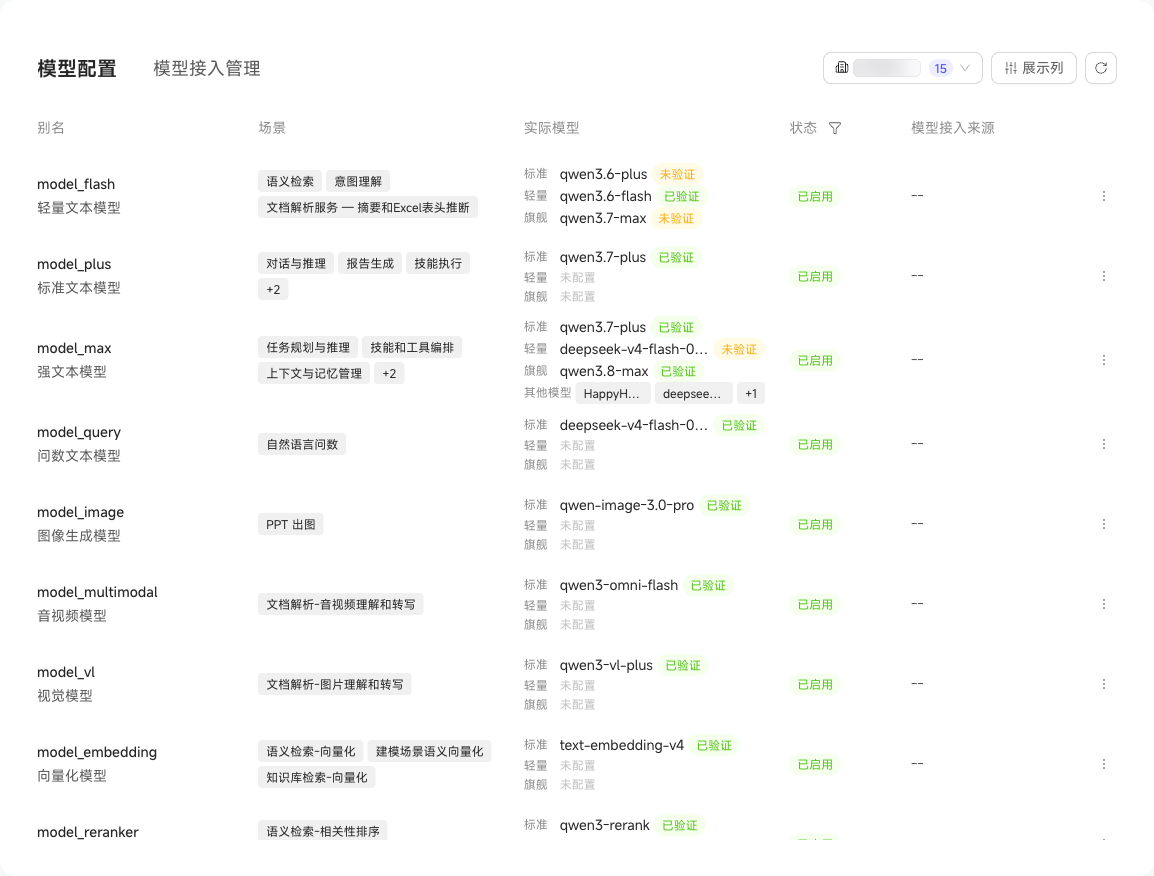
Choose System and Tenant Configurations
Recommended models in "Official System Configuration" are read-only, while custom models can be changed. If a custom model is left empty, the official recommended value is used. Standalone deployments with a private model package in their License can also maintain "Custom System Configuration". All standard-tier models, service endpoints, and API Keys must be filled in; this configuration has no fallback to recommended values.
Ordinary tenants inherit the system configuration associated with their model connection source and can change tenant settings that permit overrides. Clearing an override restores inheritance. In standalone deployments, official model connection credentials are provided by the License; service endpoints and API Keys are read-only.
Changing a system configuration affects tenants inheriting it. When changing an embedding model, confirm re-vectorization so existing knowledge continues to use matching embeddings.