
Browse And Favorite
Skill Attributes
A Skill in WinNexo has four attributes:
| Attribute | Description |
|---|---|
| Type | Built-in (official) / Custom (created by an individual or team) |
| Scope | Globally available (callable by all Digital Workers) / Callable only by specified Digital Workers |
| Trigger | Natural language matching / Invoked via / / Quick invoke button / Called by scheduled task |
| Visibility | Built-in Skills are visible to everyone by default; custom Skills are controlled by their authorization scope |
Invoking a Skill consumes Credit. Detailed consumption records are available under "Personal Settings > Usage & Billing."
Two Views
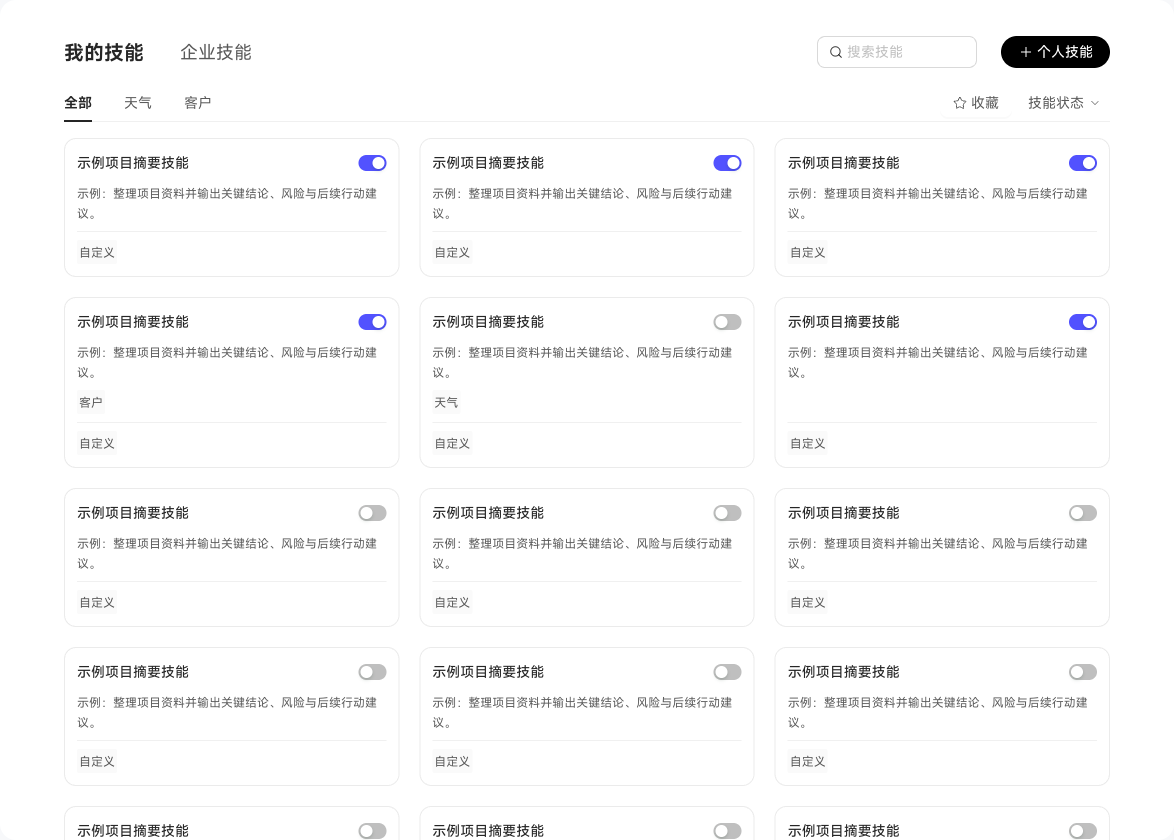
The Skill Center provides 2 views, making it easy to find and manage Skills for different scenarios:
| Tab | What You See | Purpose |
|---|---|---|
| My Skills | Skills you created through conversation or imported yourself, usable across Digital Workers | Manage your own Skills (edit, update, disable, delete) |
| Enterprise Skills | The enterprise Skill library, covering both "Enterprise Public" and "Role-Specific" Skills | Explore enterprise-wide and role-specific capabilities |
Skill cards show how many Digital Workers are currently bound to the Skill. If a Skill is bound to several Digital Workers, enabling or disabling it affects all of them at once.
You can favorite frequently used Skills in the Skill Center. Once favorited, when you invoke a Skill via / in the front-end input box, you can quickly find and call it under "My Favorites."
View Skill Details
Click any Skill card to open "Skill Details," which shows the Skill's name, description, and full content (trigger conditions, execution steps, key rules, etc.). Role-specific Skills also display their associated Digital Worker, making it easy to confirm which role a Skill belongs to.