
PPT Templates
When generating a PPT, you can pick a template to unify the presentation's layout and visual style. Two kinds of templates are supported today:
Enterprise templates: configured centrally by enterprise admins, suitable for consolidating the brand guidelines, layouts, and visual styles the company uses most; available to all enterprise members.
Personal templates: uploaded and configured by you, visible and usable only by you, suitable for saving the PPT style you personally use most.
After a template is uploaded, the system processes it first; once processing finishes it can be selected when generating a PPT. If processing fails, upload it again.
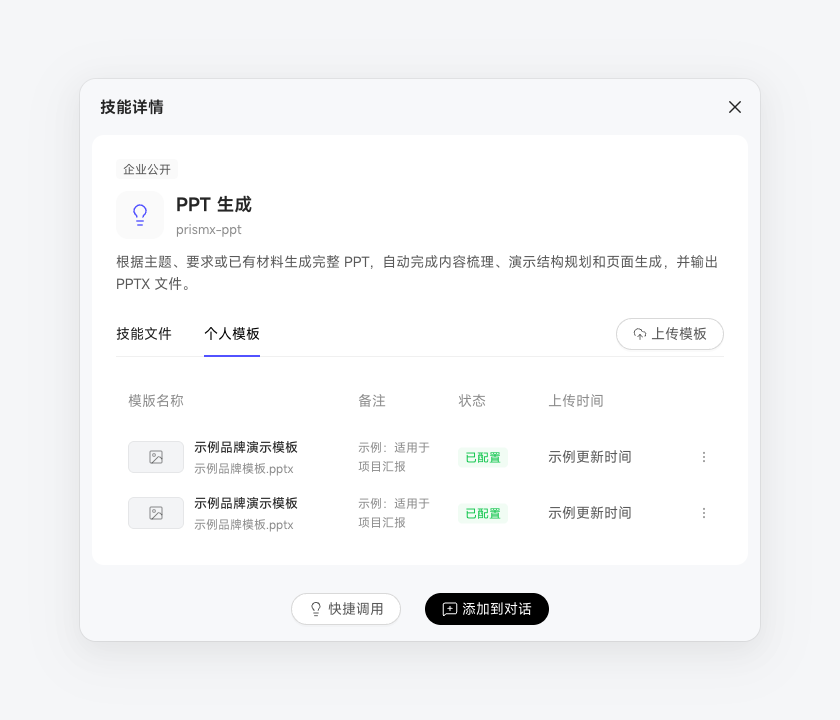
One template can be selected per PPT generation. You can pick the template directly under "Quick Invoke," or state the template you want in the conversation and let the Digital Worker match it against the templates currently available to you.