
Find
On the “Chats” tab, select one or more Digital Workers to filter historical chats. When filtering by one worker, results include both chats handled independently and chats where the worker participated as a collaboration-team member.
“Search Chats” matches both chat titles and the messages you sent. Results show matching excerpts and the number of matches in each chat, sorted by time. The previous search term is retained so you can review several results in sequence.
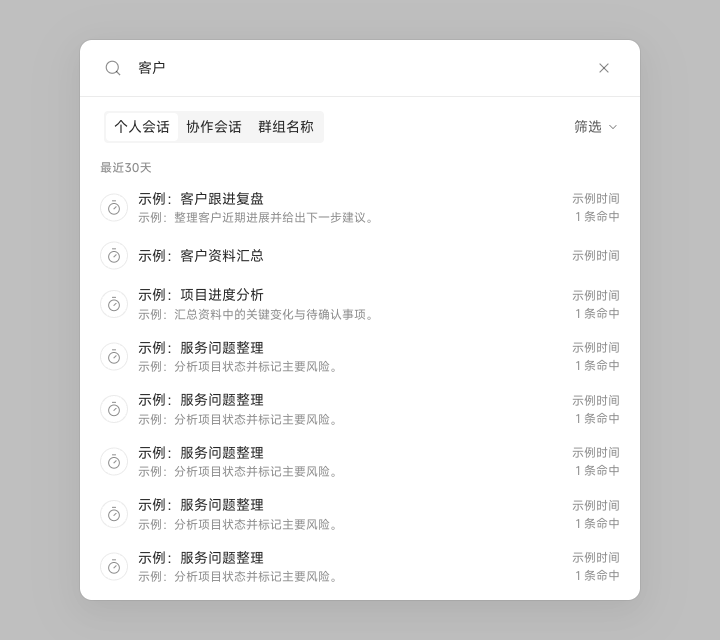
| Search Scope | Available Filters |
|---|---|
| Personal Chats | Source type, Digital Worker, and group; group options include Pinned, Recent, or a custom group |
| Collaboration Chats | Source type and Digital Worker |
| Group Name | Source type and Digital Worker |
After finding a chat, continue reviewing its original context. Use “New Chat” for unrelated work so two tasks do not share the same context.