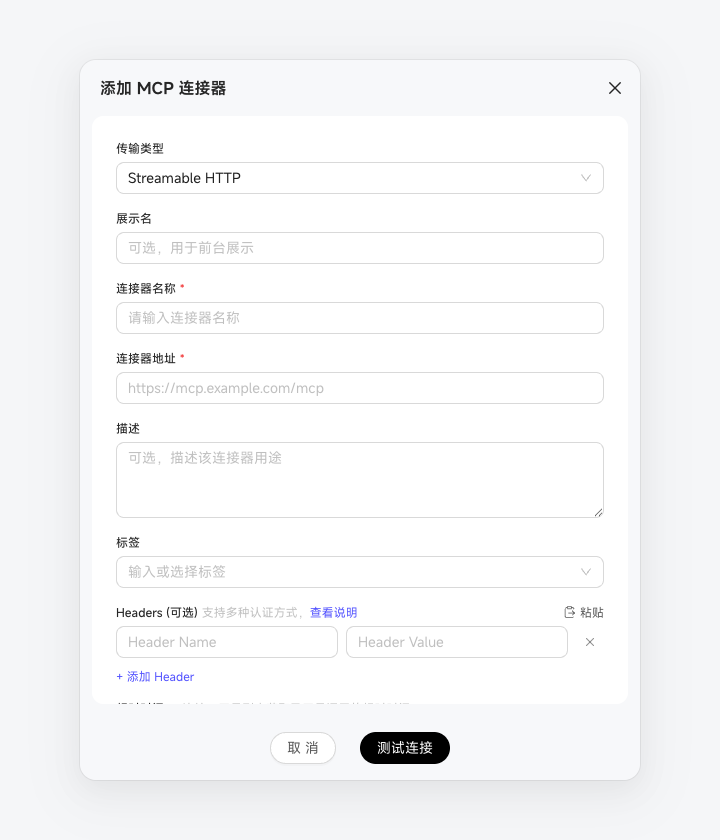
Add Personal App Connections
If enterprise app connections do not meet your needs, create a personal connection to your own or a third-party MCP service. Only you can see the connection, and its credentials belong to you. On the "App Connections" page, click "App Connection" in the upper right, select "Manually Configure MCP", and enter an address beginning with http or https. If the service requires an API Key or Bearer Token, enter it in Headers. Leave Headers empty for OAuth or no authentication. Click "Test and Save" to detect the authentication method and connect. If OAuth is detected, an authorization window opens immediately after saving. Complete authorization to use the connection in Chats.