
Create Events
Open the Event List in Event Center, create an event, and choose Semantic Changes or IM Message Activity. Semantic events can monitor objects entering or leaving a collection, object deletion, and changes to object or collection-member attributes.
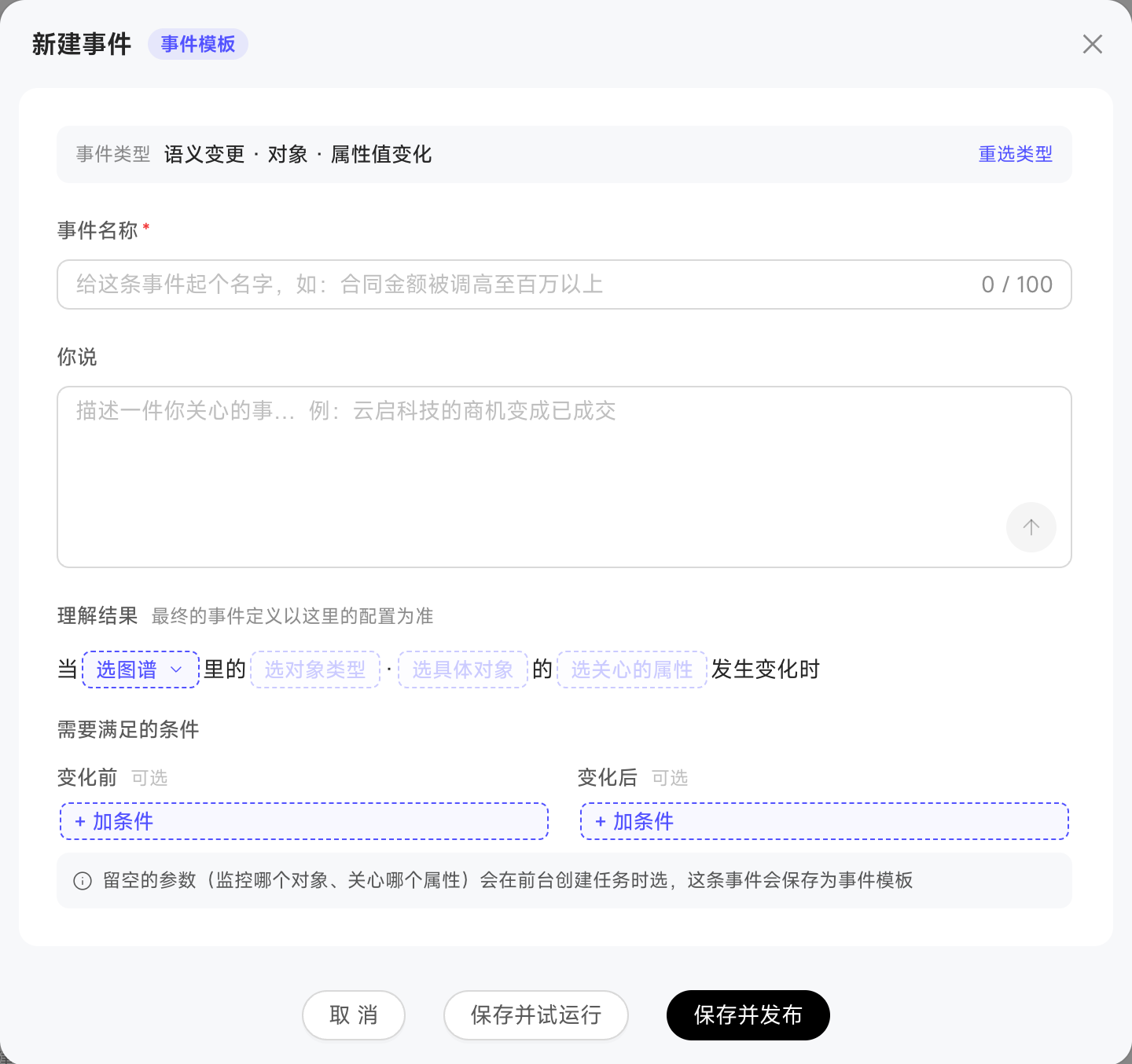
First choose the graph, object type, and object scope, then configure conditions before and after the change. In addition to the current object's attributes, conditions can use attributes of objects directly linked through a one-to-one relationship. For example, a contract change can also be conditioned on the linked customer's status. Attributes across multiple relationship levels are not supported.
Related-object attributes can be used in conditions, but cannot be the event's monitored change attribute or define its object-set scope. After saving, automated tasks can subscribe to the event. Changing conditions affects future triggers without recalculating historical records.
Choose an event form
Event Center distinguishes complete events, event templates, and task events generated when automated tasks fill in template parameters. Five semantic event templates are built in: Object Enters Collection, Object Leaves Collection, Object Deleted, Object Attribute Changes, and Collection Object Attribute Changes. IM Message Activity supports group/direct-message alerts, @Me alerts, and group membership changes.
Enter a one-sentence description to let the system parse the configuration. If the detected type differs, switch to the suggested type with one click.
Semantic event conditions support condition groups, field operators, and values, with up to three nested levels. IM group message events support keyword prefiltering and topics of interest interpreted with model assistance.
Leave parameters such as the customer unspecified if they should be filled in later. The event is then saved automatically as a template; supply the missing values during a trial run or task creation.
Adjust IM message evaluation frequency
Group messages, direct messages, and @Me events support Sensitivity settings; group membership changes do not. Message Window controls how many previous messages each evaluation reads, while Cooldown Window sets the minimum interval between evaluations. Configure 10–100 messages and 2–120 minutes respectively.
To reduce repeated triggers or Credit usage, extend the cooldown window while keeping a large enough message window to retain context between evaluations.
Modify an event used by tasks
Events or templates referenced by tasks cannot be deleted or switched to trial-run mode, and their event type, graph, or object type cannot be changed. Before adjusting other conditions, check whether the related tasks' additional conditions still apply so the tasks remain able to trigger.
Trial runs and permissions
Creating events requires Event Creation permission. Event Super Administrators can manage all events.
Trial runs generate event occurrence records without triggering subscribed tasks. Publish after verifying the conditions. Only published events are available for automated task subscriptions.