
Manage Categories and Synchronization
Manage categories
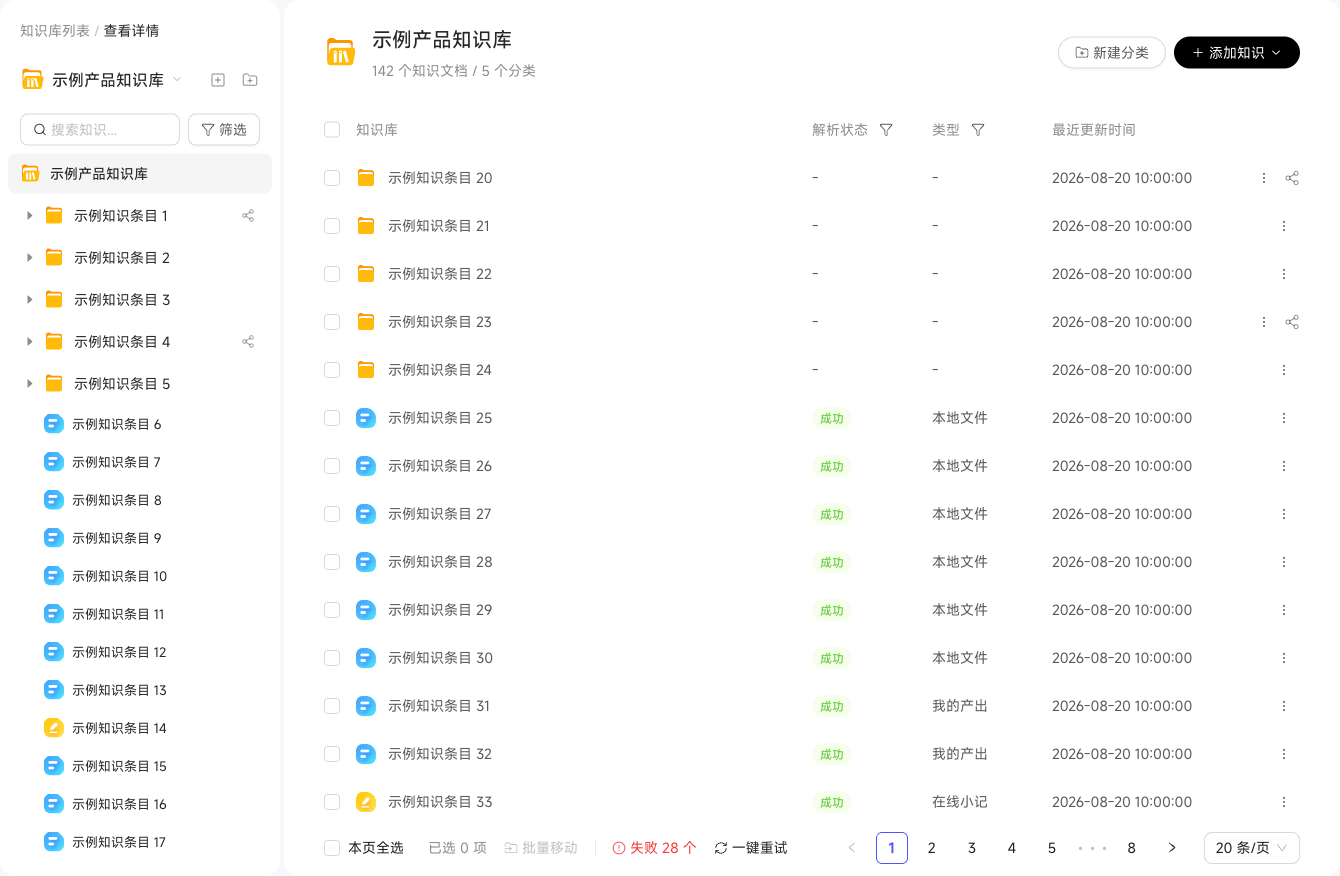
Each Knowledge Base organizes content in a category tree of up to five levels. Common approaches group by business process or reader role:
销售合规库
├─ 客户准入
│   ├─ 黑名单规则
│   └─ 合规审查清单
├─ 合同条款
│   ├─ 标准合同模板
│   └─ 特殊条款说明
└─ 数据使用规范
    └─ 数据脱敏规则
Category actions include Add Subcategory, Rename, Move To, and Delete. Deletion offers "Recursively Delete All" to remove the directory, subdirectories, and resource bindings, or "Delete Directory and Move Resources to Root" to remove directories while moving resources to the root. Neither can be undone.
Synchronization and updates
Online documents and some connected data sources support scheduled synchronization:
| Action | Description |
|---|---|
| Update (manual) | Retrieve the latest content and reparse immediately |
| Update Schedule (automatic) | Configure a Cron expression for automatic synchronization |
| Disconnect | Remove the synchronization binding; retain knowledge without automatic updates |
File-based knowledge is fixed at upload and needs no synchronization. If the original changes, click Replace File in knowledge details and upload the new version. The system replaces and reparses the content while preserving its URL and references.
Check Parsing Failure Reasons
If knowledge parsing or synchronization fails, first view the reason in the parsing status, then use "Intelligent Diagnosis" in the status message to investigate.
Find Knowledge Issues in Historical Conversations
Create a scan task under "Knowledge Enhancement" in the workspace's "Enterprise Knowledge Base" to find knowledge issues reflected in historical conversations. Filter by time range, Digital Workers, and conversation scope. After selecting "Personal" or "Space", further restrict conversation types and initiators. Unselected scopes are excluded from scanning; leaving filters empty includes all conversations in that scope.