
Manage Synchronization and Visibility
Synchronization and retries
Click "Sync Now" in the upper right of the details page to trigger retrieval manually. There are three possible results:
| Result | Meaning |
|---|---|
| Synchronization triggered | The task is queued and a Running entry appears in execution records |
| Synchronization skipped | The previous sync was too recent, so the system's minimum interval policy skipped it |
| Synchronization failed | Invalid credentials or a network error; inspect execution records for details |
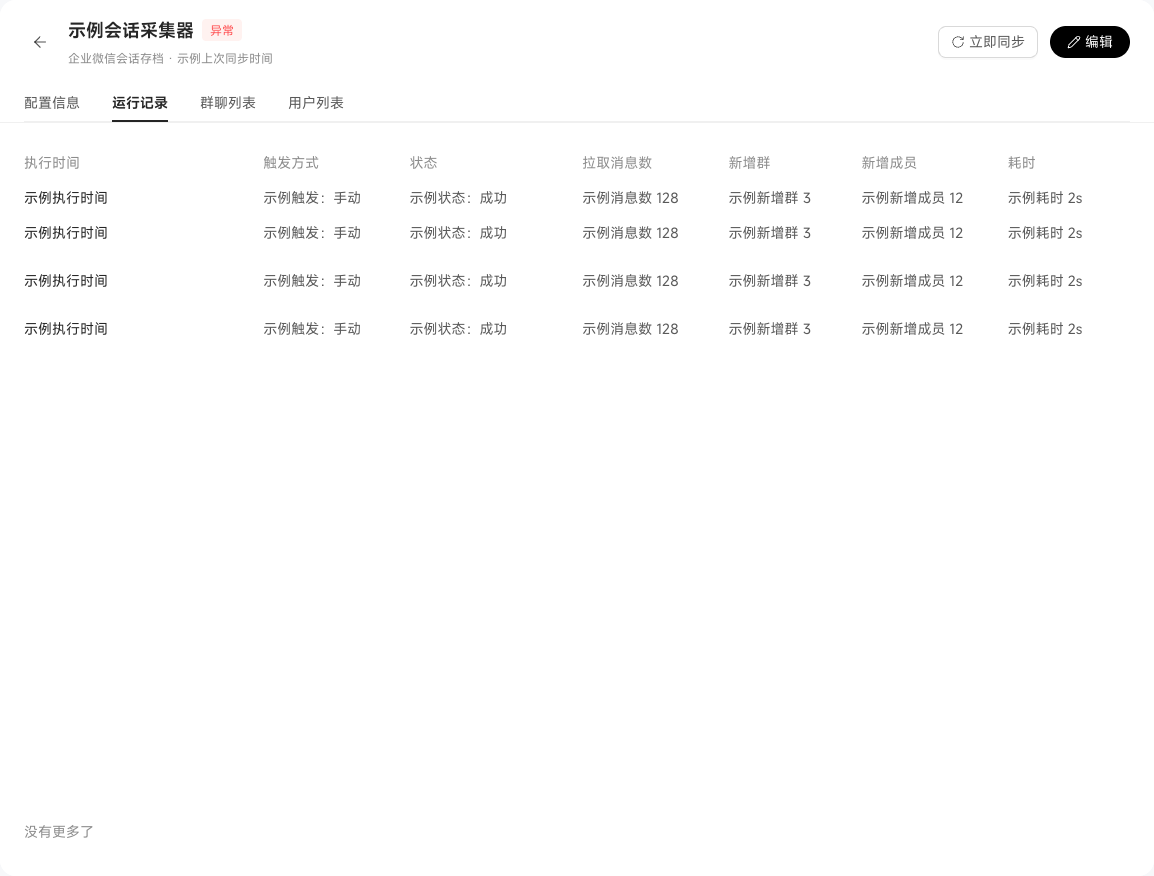
Use execution records for troubleshooting. Each shows the trigger (MANUAL / SCHEDULED), status (SUCCESS / FAILED / RUNNING), retrieved message count, and duration. Expand failed records for the error stack.
Limits and boundaries
Only external customer groups are supported. WinNexo does not currently support conversation archives for internal WeCom colleague groups, mainly because:
- WeCom's Conversation Archive API is available only for external groups.
- Internal discussions involve more complex compliance boundaries.
For retaining internal collaboration group notes, use DingTalk or Feishu group bots with position conversations instead.
Per-user chat record visibility
Chat records synchronized from WeCom archives are isolated by member permissions. Users can retrieve only their own related group or direct conversations as context, not others' conversations. Their WinNexo account must be linked to the corresponding WeCom account; unlinked members cannot retrieve any WeCom records.