
Connect IM Groups
Link a space to an IM group so members can @ the bot in IM and receive answers within the space's permission scope. One bot can serve multiple groups.
The IM Channels tab shows only channels whose group bots have been configured by an administrator in Platform Management. If none appear, ask an administrator to configure one first.
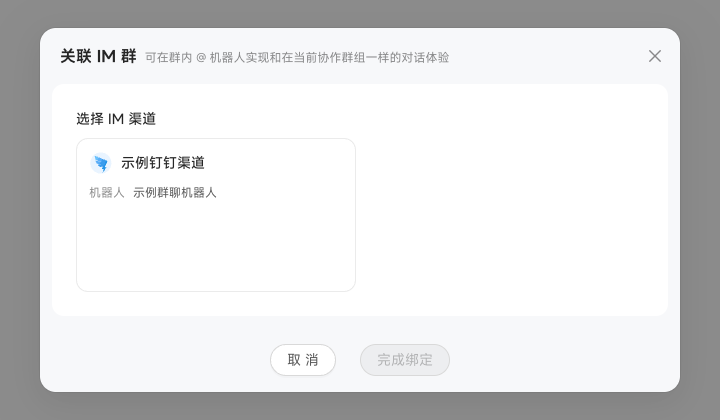
Click "Bind Channel" to display the space's pairing code in a popover.
Add the bot to the target IM group and send the pairing code in the group to complete binding. You can unbind it manually at any time.
After binding, use the channel card to create a group chat collection task or an automated task that pushes results to the group.
Manage multiple linked groups
A collaboration space can link up to 20 groups per IM channel. Each group has its own pairing, context completion, and collection status. Only space administrators can link or unlink groups. At the limit, unlink a group before adding another.
When the bot replies using a custom card template configured for the channel, group members can like or dislike its responses.
Configure Group Chat Workers and Models
For each linked IM group, select one to five Digital Workers from the space and set a "Default Model". The group chat uses its selected workers and model. Changing one group's configuration does not change other linked groups.
For other administrator-configured models, group chat defaults use the same options as new Chats. When switching through group messages, use the model name rather than its display name.
Context completion
The bot can see only the message that @ mentions it, so missing context may affect answers. "Context Completion" automatically collects recent group messages to supplement the conversation. It is enabled by default after binding, covering the latest 50 messages within the last seven days.
DingTalk and Ali DingTalk require a "Collection Identity" selected from added group members. Members whose personal DingTalk or Ali DingTalk connector is disabled or unauthorized cannot be selected. Feishu retrieves messages directly without a connector. WeCom is not currently supported.
View group conversations with the bot
The space's "IM Group Chats" tab collects questions that directly @ the bot and their replies, rather than all group messages. It is read-only. Return to the corresponding IM group to ask follow-up questions.